




An email nurture drip sequence timing 3-4 days apart then weekly means you send your first three or four emails at 3 to 4 day intervals, then move to one fixed weekly send for the rest of the relationship. The tight opening window matches the period when a new subscriber remembers exactly why they signed up. The weekly cadence that follows keeps your brand visible without pushing people toward the unsubscribe link. This guide gives you the exact day-by-day schedule, the benchmarks to judge it against, the industry variations, and the deliverability limits that decide how hard you can push. Keep reading for the full 90 day map.
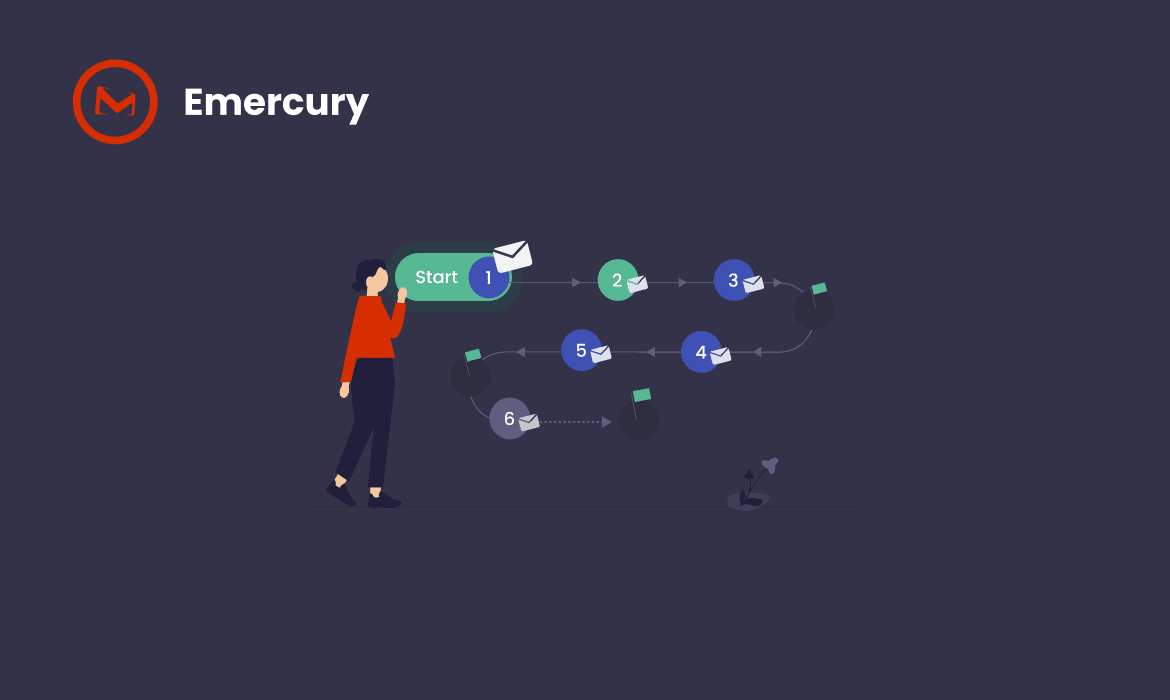
Key Takeaways
- Send Email 1 immediately, then Emails 2, 3, and 4 at 3 to 4 day gaps, which places them near Day 3, Day 7, and Day 11.
- Switch to a fixed weekly send from roughly Day 18 onward and keep the same day and time every week.
- Consumer research shows 61 percent of people want promotional email at least weekly, which is why weekly is the natural resting cadence rather than an arbitrary choice.
- More than four marketing messages in a 30 day window pushes a majority of consumers toward unsubscribing, so weekly is a ceiling for most lists, not a floor.
- Gmail and Yahoo cap user-reported spam complaints at 0.3 percent, and cadence is one of the fastest ways to breach that ceiling.
- Pause the sequence the moment someone converts, replies, or opts down, and route three-time non-openers into a slower track instead of continuing the same pace.
What Is an Email Nurture Drip Sequence?
Quick Answer: An email nurture drip sequence is an automated series of pre-written emails released at set intervals after a subscriber triggers entry, such as a lead magnet download or a demo request. Each email has one job and builds on the one before it. The interval between sends is the variable most teams set once and never revisit.
An email nurture drip sequence differs from a newsletter in one important way. A newsletter is a broadcast, so everyone receives the same message on the same day. A nurture drip is personalized in time, so each subscriber starts at Email 1 on the day they enter and moves through the same arc at the same relative pace.
That distinction is why timing is a strategy decision rather than a scheduling detail. With a broadcast, you pick a date. With a drip, you pick an interval, and that interval applies to every person who ever enters the sequence.
Three components define any nurture drip:
- Trigger. The event that starts the sequence, such as a form submission, a webinar registration, a content download, or a tag applied in your platform.
- Interval. The delay between each send, which is what the 3 to 4 day then weekly pattern describes.
- Exit condition. The rule that removes someone from the sequence, such as a purchase, a reply, or a stretch of non-engagement.
Most teams write good emails and then attach a careless interval to them. The interval is what turns a set of good emails into a sequence that converts, and it is also what turns a set of good emails into a complaint problem.
Why Does Email Nurture Drip Sequence Timing 3-4 Days Apart Then Weekly Work?
Quick Answer: Email nurture drip sequence timing 3-4 days apart then weekly works because subscriber attention is highest in the first two weeks and decays afterward. A 3 to 4 day gap is short enough to preserve recall and long enough to avoid feeling aggressive. Weekly then becomes the sustainable resting cadence that most subscribers actually want.
The pattern is not a rule of thumb. It maps to two separate constraints that pull in opposite directions, and the switch point is where those constraints cross.
The Engagement Curve Behind Email Nurture Drip Sequence Timing 3-4 Days Apart Then Weekly
The engagement curve behind email nurture drip sequence timing 3-4 days apart then weekly is steep at the start and flat afterward. A subscriber who just downloaded a guide knows your brand name, remembers the problem that drove the download, and expects to hear from you. That state does not last.
Two weeks later, the same person has consumed dozens of other pieces of content. Your name is now one of many. Sending every three days at that point is not building momentum, it is competing for attention you no longer have a claim on.
The 3 to 4 day gap does specific work in the early window:
- It leaves enough space that each email reads as a considered message rather than an automated barrage.
- It keeps the interval under a week, so the previous email is still in recent memory and often still in the inbox.
- It gives the subscriber a realistic chance to act on Email 2 before Email 3 arrives.
- It compresses four touches into the first two weeks, which is the only period where four touches feel proportionate.
What Frequency Research Says About the Weekly Switch
Frequency research supports weekly as the resting cadence rather than every three days indefinitely. In a benchmark study of consumer attitudes, MarketingSherpa found that 61 percent of consumers wanted promotional email at least weekly, and the same analysis found expected read rates were highest at a once-per-week send frequency and declined as frequency increased.
The opposite constraint is just as well documented. GetApp’s 2024 Advertising Preferences Survey reported that 56 percent of United States consumers will unsubscribe if they receive four or more marketing messages from the same company within 30 days, and 40 percent unsubscribe from brand email or texts at least once a week.
Table 1: What consumer frequency research says about nurture cadence
| Finding | Figure | What it means for your sequence | Source |
| Consumers who want promotional email at least weekly | 61% | Weekly is an expected cadence, not an imposition | MarketingSherpa |
| Consumers who accept promotional email at least monthly | 86% | Monthly is the safe floor for low-engagement segments | MarketingSherpa |
| Send frequency producing the highest expected read rate | Once per week | Weekly maximizes read rate per send | MarketingSherpa |
| US consumers who unsubscribe at 4 or more messages per 30 days | 56% | Sustained sub-weekly gaps trigger opt-outs | GetApp via BusinessWire |
| US consumers unsubscribing from brand messages weekly | 40% | Opt-out behavior is routine, not rare | GetApp via BusinessWire |
Read those two findings together and the pattern resolves itself. Four emails in the first two weeks sits right at the edge of the tolerance ceiling, which is exactly why the opening burst has to be short and then stop. Weekly afterward sits inside what most subscribers actively want. The sequence works because it spends its frequency budget early, when interest is highest, and then settles at the level people accept indefinitely.
Email is worth getting right at this level of detail. Litmus reports an average return of 36 dollars for every dollar spent on email marketing, which is higher than any other channel, and cadence is one of the cheapest levers available to protect that return.
The Exact Send Schedule from Day 0 to Day 90
The exact send schedule from Day 0 to Day 90 places four emails in the first 11 days, then one email every seven days from Day 18 onward. The table below is the default map. Adjust it for sales cycle length, but change one variable at a time.
Table 2: Default nurture drip schedule, Day 0 to Day 90
| Send | Day | Interval from previous | Phase | Job of the email |
| Email 1 | Day 0 | Immediate | Opening | Deliver what was promised and set frequency expectations |
| Email 2 | Day 3 | 3 days | Opening | Name the core problem and frame your approach |
| Email 3 | Day 7 | 4 days | Opening | Provide proof through a case, result, or worked example |
| Email 4 | Day 11 | 4 days | Opening | Offer a deeper resource or a soft first ask |
| Email 5 | Day 18 | 7 days | Weekly | First weekly send, establishing the recurring slot |
| Email 6 | Day 25 | 7 days | Weekly | One useful idea plus a single clear next step |
| Emails 7 to 10 | Days 32 to 53 | 7 days | Weekly | Rotating education, proof, and objection handling |
| Emails 11 to 13 | Days 60 to 74 | 7 days | Weekly, with branch | Direct offer for engaged contacts, re-permission for cold ones |
| Email 14 | Day 81 | 7 days | Weekly | Decision-stage content or a clean handoff to sales |
| Email 15 | Day 88 | 7 days | Weekly | Sequence exit into the ongoing newsletter track |
Phase 1: The 3 to 4 Day Opening Window, Days 0 to 14
Phase 1 runs from Day 0 to Day 14 and contains four emails at 3 to 4 day gaps. Email 1 must go out within minutes of the trigger, not on a delay. The subscriber is on your confirmation page or in their inbox waiting for the thing you promised, and any delay there costs you the single highest-intent moment in the whole relationship.
Emails 2, 3, and 4 land near Day 3, Day 7, and Day 11. The exact day matters less than the consistency of the gap. What breaks this phase is stacking two automated emails on the same day, which happens more often than teams realize once a welcome flow, a lead magnet delivery, and a nurture sequence all fire from the same trigger.
Phase 2: The Weekly Cadence from Day 18 Onward
Phase 2 begins around Day 18 with the first weekly send. The seven day gap from Email 4 is deliberate, because it signals the change in pace before the recurring pattern starts.
Pick one day and one time and hold them. Yahoo’s sender guidance is explicit that senders should avoid surprises with frequency and should not suddenly change the cadence subscribers have come to expect, which you can review in the Yahoo Sender Hub documentation for senders. A predictable weekly slot is both a reader-experience decision and a deliverability decision.
Phase 3: Days 60 to 90 and the Sequence Exit
Phase 3 covers Days 60 to 90 and is where most sequences quietly fail. The cadence stays weekly, but the audience has split into two groups by this point: people who have opened and clicked repeatedly, and people who have not opened anything in six weeks.
Sending both groups the same Day 74 email is the mistake. Engaged contacts are ready for a direct ask. Disengaged contacts need a re-permission email or a move to monthly, not another weekly send that adds complaint risk.
Every sequence also needs a defined ending. Email 15 should either hand the contact to a sales conversation, drop them into your ongoing newsletter, or ask plainly whether they want to keep hearing from you. A sequence that simply stops leaves the contact in an undefined state, still on the list and still receiving broadcasts without any structured journey.
How to Build an Email Nurture Drip Sequence Step by Step
Building an email nurture drip sequence requires eight steps, in this order. Do not write a single email until step 4, because the entry rule and the exit rule determine what the emails need to say.
- Define the trigger and the entry rule. Decide exactly what action puts someone into this sequence. One trigger per sequence. If two lead magnets need different messaging, build two sequences rather than one with branches at the top.
- Write the exit conditions before the emails. Decide what removes someone: a purchase, a reply, a demo booking, a sales handoff, or a stretch of non-engagement. Every sequence needs at least a conversion exit and a disengagement exit.
- Map the interval schedule. Assign a day number to every email using the Day 0, 3, 7, 11, then weekly pattern as your baseline. Write the day numbers down before you write copy, so the emails are built to fit the gaps.
- Assign one job per email. Give each send a single objective, such as deliver, educate, prove, handle an objection, or ask. If an email has two jobs, split it into two emails and add an interval.
- Write Email 1 to set frequency expectations. Tell the subscriber what is coming and how often. A single sentence such as a note that you will send three short follow-ups over the next two weeks, then a weekly tip, reduces complaints for the entire sequence.
- Add the engagement branch at the phase change. At the Day 18 transition, split the audience by whether they have opened or clicked anything. Engaged contacts continue weekly. Non-openers move to a slower track or a subject line variant.
- Set suppression across all sequences. Make sure an unsubscribe or a conversion in one sequence suppresses the contact everywhere, not just in the sequence they were in.
- Test the whole path before activation. Run a test contact through every branch and confirm the delays fire correctly, the exit conditions trigger, and no two emails land on the same day. Then activate.
The eighth step catches the most common launch failure, which is two automated emails arriving within an hour of each other because a welcome flow and a nurture sequence share a trigger.
Building the whole sequence in one Journey Builder automation makes this testable in a single view. The delays, the branches, and the exit conditions are all visible on the same canvas, so a test contact walking the path shows you exactly where a delay is wrong rather than requiring you to reconstruct the logic across eight separate campaigns.
What Should Each Email Do at Each Interval?
Quick Answer: Each email in the sequence should carry one job that matches its position in the interval schedule. Early emails deliver and educate, middle emails prove and handle objections, and later emails ask. Stacking two jobs onto one send is the most common reason a well-timed sequence still converts poorly.
The interval and the job are linked. A 3 day gap suits a short, single-idea email. A 7 day gap can carry something heavier, such as a full worked example or a comparison framework, because the reader has had a week of breathing room.
Table 3: Email role mapped to send interval
| Position | Interval before it | Primary job | CTA strength | Typical length |
| Email 1 | Immediate | Deliver the promised asset, set expectations | None or very soft | Short |
| Email 2 | 3 days | Name the problem, frame the approach | Soft, content-based | Short |
| Email 3 | 4 days | Prove it with a result or worked example | Soft to medium | Medium |
| Email 4 | 4 days | Deeper resource or first direct ask | Medium | Medium |
| Email 5 onward | 7 days | One idea per week, rotating themes | Medium, one per email | Medium |
| Branch emails | 7 days | Objection handling or re-permission | Direct or opt-down | Short |
One rule holds across every position. Use a single call to action per email. Multiple competing calls to action split the click and lower the conversion rate for all of them.
If you want the copy side of this handled well alongside the cadence, our guide to email nurture campaign best practices covers the message architecture that sits on top of this schedule.
90 Day Email Nurture Sequence Ideal Frequency Best Practices
Quick Answer: The 90 day email nurture sequence ideal frequency best practices are four emails in the first two weeks at 3 to 4 day gaps, then one email per week for the remaining 11 weeks, with an engagement branch at Day 30 and again at Day 60. That totals roughly 14 to 15 emails across 90 days.
Ninety days is the standard planning window for considered purchases because most B2B evaluation cycles involve multiple stakeholders, internal review, and budget approval. Compress the window and you ask for a decision before trust exists. Extend it without a defined cadence and the lead goes cold.
Some published frameworks recommend increasing frequency as the buyer moves toward a decision, on the logic that engaged contacts want more contact. Treat that advice carefully. Increasing to three or four sends per week in the final 30 days runs directly into the 56 percent unsubscribe threshold identified in the GetApp survey above, and it does so at the exact moment the relationship is most valuable.
The safer version of the same idea is to increase relevance rather than frequency. Hold weekly, and make the Day 60 to Day 90 emails more specific: pricing detail, implementation steps, risk reduction, and a named next step.
Table 4: 90 day nurture frequency plan
| Window | Emails sent | Cadence | Content focus | Branch decision |
| Days 0 to 14 | 4 | 3 to 4 days | Deliver, educate, prove, deepen | None |
| Days 15 to 30 | 2 | Weekly | Education and use cases | Day 30: engaged vs non-opener |
| Days 31 to 60 | 4 | Weekly | Comparison, objections, proof | Day 60: active vs cold |
| Days 61 to 90 | 4 to 5 | Weekly | Decision content and direct ask | Exit, handoff, or re-permission |
Four practices separate a 90 day sequence that works from one that burns the list:
- Hold the weekly slot. Same day, same time, for 11 straight weeks. Predictability is what earns the open.
- Branch twice, not continuously. Two decision points at Day 30 and Day 60 are enough. Constant branching creates paths nobody can audit.
- Insert a re-permission email before Day 60. A single low-friction message asking whether the content is still relevant protects your complaint rate for the rest of the sequence.
- Define the ending. Decide in advance whether Day 90 means a sales handoff, a newsletter transition, or a clean exit.
How Does Nurture Timing Change by Industry and Sales Cycle?
Nurture timing changes by industry mainly through the length of the opening window and the total sequence duration, not through the underlying pattern. The 3 to 4 day opening and weekly resting cadence holds across most categories. What changes is how tight the opening gap is and how long the weekly phase runs.
Table 5: Cadence variation by category and sales cycle
| Category | Typical sales cycle | Opening interval | Emails before weekly switch | Weekly phase duration |
| B2B SaaS, mid-market | 30 to 90 days | 3 to 4 days | 4 | 8 to 12 weeks |
| B2B enterprise | 90 to 180 days | 4 days | 4 | 12 to 24 weeks |
| B2C ecommerce | 1 to 14 days | 2 to 3 days | 3 to 4 | 4 to 8 weeks |
| Professional services | 30 to 120 days | 3 to 4 days | 4 | 8 to 16 weeks |
| Online courses and info products | 3 to 21 days | 2 to 3 days | 4 to 5 | 4 to 6 weeks |
| High-ticket B2C | 30 to 90 days | 4 days | 4 | 8 to 12 weeks |
Two adjustments follow from the table. Shorter sales cycles compress the opening gap toward 2 to 3 days because the buying decision arrives before Day 11. Longer cycles keep the 4 day gap and extend the weekly phase rather than adding more emails to the opening window.
Ecommerce is the clearest example of compression. Purchase intent after a first-time signup decays within days, so the opening emails cluster tighter. The segmentation logic behind that is covered in our guide to ecommerce email marketing segmentation.
How Do Nurture Campaigns and Drip Campaigns Differ in Timing?
Quick Answer: A drip campaign is time-based, so every contact receives the same emails at the same intervals. A nurture campaign is behavior-based, so intervals and content adapt to what each contact does. The 3 to 4 days then weekly pattern is the drip backbone that a nurture layer then modifies.
The two terms get used interchangeably, and for scheduling purposes the difference is real. A pure drip has one timeline. A nurture campaign has a default timeline plus rules that shorten it, lengthen it, or exit it.
Table 6: Drip timing versus nurture timing
| Dimension | Drip campaign | Nurture campaign |
| Interval control | Fixed delay between sends | Default delay, adjustable by behavior |
| Path | Linear for everyone | Branches by engagement or action |
| Response to a click | No change | Can accelerate or switch track |
| Response to silence | No change | Slows cadence or exits contact |
| Setup complexity | Low | Moderate |
| Best use | Predictable moments such as welcome and onboarding | Longer evaluation cycles |
Most mature programs run both. The drip provides the backbone described in Table 2, and the nurture logic sits on top of it, handling the two branch points at Day 30 and Day 60. That combination is what most teams mean in practice when they describe a nurture drip sequence.
What Do Good Nurture Sequence Benchmarks Look Like?
Good nurture sequence benchmarks vary by list quality and industry, so treat the ranges below as a diagnostic rather than a target. The useful signal is the shape of the decay across the sequence, not the absolute number on any single email.
Table 7: Diagnostic ranges for a nurture drip sequence
| Metric | Typical healthy range | Investigate when | What it usually indicates |
| Open rate, Email 1 | Highest in the sequence | Lower than Email 2 | Delivery delay or subject line mismatch |
| Open rate, later sends | Declines gradually | Drops more than 30% between consecutive sends | Cadence too aggressive or content mismatch |
| Click rate per email | Low single digits | Near zero with healthy opens | Weak or competing calls to action |
| Unsubscribe rate per email | Well under 1% | Above 1% on a single send | Interval too short or wrong audience |
| Spam complaint rate | Below 0.1% | Approaching 0.3% | Immediate cadence and consent review needed |
| Sequence completion | Majority reach the final send | Most contacts exit before Email 3 | Expectation mismatch set in Email 1 |
Source note: the 0.1 percent and 0.3 percent complaint figures are mailbox provider thresholds published in the Gmail email sender guidelines. The remaining ranges are diagnostic conventions and should be calibrated against your own historical performance before you act on them.
Interpretation matters more than the numbers. A 25 percent open rate on Email 5 is healthy. The same 25 percent on Email 1 is an alarm, because Email 1 goes to people who just asked for something. Read the sequence as a chain and find the link where the drop is steeper than the surrounding pattern. That link is where your interval or your content is wrong.
Apple Mail Privacy Protection preloads tracking pixels for a large share of Apple Mail users, which inflates reported open rates. Use open rate to compare emails within your own sequence, and use clicks and conversions to judge whether the sequence is working.
Which Deliverability Limits Constrain Your Nurture Cadence?
Deliverability limits constrain nurture cadence through complaint rate thresholds set by mailbox providers, and cadence is one of the fastest ways to breach them. Sending too often does not simply annoy people. It produces spam reports, and spam reports are a measured, enforced signal.
Google requires bulk senders to keep user-reported spam rates below 0.10 percent and never reach 0.30 percent, and applies the requirement to senders of roughly 5,000 or more messages per day to personal Gmail accounts. Google’s own guidance notes that senders whose spam rates exceed the threshold become eligible for mitigation only after staying below 0.3 percent for seven consecutive days.
Table 8: Cadence-relevant bulk sender requirements
| Requirement | Threshold or rule | Why cadence affects it | Source |
| User-reported spam rate | Below 0.10%, never reach 0.30% | Over-sending is a primary driver of spam reports | Gmail sender guidelines |
| Mitigation eligibility | Below 0.3% for 7 consecutive days | Recovery from a cadence mistake is slow | Gmail sender guidelines FAQ |
| One-click unsubscribe | Required for marketing messages | Higher frequency raises opt-out volume | Gmail sender guidelines |
| Unsubscribe processing | Honored within two days | Late processing on a weekly sequence means extra unwanted sends | Gmail sender guidelines |
| SPF, DKIM, and DMARC | Required for bulk senders | Authentication failures compound cadence-driven complaints | Gmail sender guidelines |
| Cadence consistency | Avoid sudden frequency changes | Ramping from weekly to daily triggers filtering | Yahoo Sender Hub |
The one-click unsubscribe requirement is defined by RFC 8058, which specifies the List-Unsubscribe-Post header. Confirm your platform sends that header on every message in the sequence, not just the first.
Two practical consequences follow. First, a nurture sequence running at every three days indefinitely is a complaint generator even if each individual email is good. Second, recovering from a complaint spike takes at least a week of clean sending, so cadence mistakes cost more than the campaign that caused them.
The recovery window is why monitoring matters more on a sequence than on a broadcast. Our Advanced Alerting System sends real-time alerts on URL blacklisting, deferrals, content blocking, and DKIM or SPF failures, which means a cadence problem surfaces while there is still time to pause the sequence rather than a week later when the complaint rate has already been counted.
List quality compounds the problem. Sending a 15 email sequence to a list containing stale addresses, spam traps, and known complainers turns a cadence question into a reputation question. Our List Hygiene runs at import and removes traps, bots, seeds, and complainers before the first email ever sends.
Which Compliance Rules Apply to Every Email in the Sequence?
Compliance rules apply to every email in a nurture sequence, not only the first one. A sequence of 15 emails is 15 separate commercial messages, and each one has to independently satisfy the law that governs the recipient.
Table 9: Compliance requirements by jurisdiction
| Framework | Region | Consent model | Requirement that affects sequences | Source |
| CAN-SPAM | United States | Opt-out | Working unsubscribe and valid physical address in every message, opt-outs honored within 10 business days | FTC compliance guide |
| GDPR | EU and EEA | Opt-in | A lawful basis must exist before any send, and consent must be freely given and specific | GDPR Article 6 |
| CASL | Canada | Express or implied | Consent, sender identification, and a working unsubscribe in every message | Government of Canada |
Source note: CAN-SPAM civil penalties are assessed per non-compliant email and are adjusted annually for inflation by the FTC, so confirm the current figure on the FTC site rather than relying on a number quoted elsewhere.
Three sequence-specific traps come up repeatedly:
- Suppression that does not span sequences. An unsubscribe from your nurture drip must also suppress the contact in your newsletter and every other automation. Platform-level suppression lists handle this centrally rather than per campaign.
- Consent that does not cover the content. Someone who opted in for a technical guide has not necessarily consented to a 15 email sales sequence. Under GDPR, consent must be specific to the purpose.
- Footer requirements dropped in later templates. The physical address and unsubscribe link often appear in Email 1 and go missing in Email 9 when a different template is used.
How Do You Handle Non-Openers Without Burning the List?
Quick Answer: Handle non-openers by slowing their cadence rather than continuing the same pace or removing them immediately. After three consecutive non-opens, move the contact to a longer interval, change the subject line approach, and send a single re-permission email before deciding whether to suppress.
Continuing to send weekly to someone who has not opened anything in six weeks does two kinds of damage. It adds complaint risk, and it feeds a negative engagement signal to mailbox providers that affects delivery for your entire list.
The branch logic is straightforward:
- Three consecutive non-opens. Move the contact to a 10 to 14 day interval and change the subject line style completely. Same content strategy, different framing.
- Six consecutive non-opens. Send one re-permission email with a single low-friction ask, such as confirming they still want the weekly email.
- No response to re-permission. Move to a monthly cadence or suppress. Continuing weekly at this point is the decision that damages sender reputation.
The mechanical requirement here is a segment that updates as behavior changes rather than one you rebuild by hand. On paid plans, our Smart Segments track entry and exit in real time, so a contact who opens on Day 40 after five silent weeks moves back into the standard weekly track without anyone noticing and intervening.
Bear in mind that open rate is an unreliable trigger on its own because of privacy features that preload tracking pixels. Where possible, build the branch on clicks and site activity as well as opens, so you do not slow down an engaged reader whose opens simply are not being recorded.
The opposite branch matters just as much. When someone clicks a pricing link or replies, the schedule should stop applying. Pause the sequence and route the contact to a direct conversation. Nothing undermines a sequence faster than a nurture email arriving three days after the person already booked a call.
Timing Mistakes That Break Nurture Drip Sequences
Timing mistakes break nurture drip sequences in predictable ways, and most of them are structural rather than creative. The table below maps each mistake to what it costs and how to correct it.
Table 10: Common cadence mistakes and fixes
| Mistake | What it causes | Fix |
| Delaying Email 1 by a day or more | Lowest-friction moment is lost, confusion at Email 2 | Send within minutes of the trigger |
| Two automations firing the same day | Complaint spike and unsubscribes in week one | Add a global rule preventing same-day automated sends |
| Holding a 3 day gap past week two | Fatigue, rising opt-outs, complaint rate drift | Switch to weekly by roughly Day 18 |
| Moving the weekly slot around | Loss of predictability, lower opens | Fix one day and time and keep it |
| Increasing frequency in the final 30 days | Opt-outs at the highest-value moment | Increase specificity instead of frequency |
| No engagement branch | Cold contacts receive the same 15 emails | Branch at Day 30 and Day 60 |
| No exit condition for conversions | Sales emails after purchase | Add a conversion exit to every sequence |
| No defined ending | Contact left in an undefined state | Route to newsletter, sales, or clean exit |
The single most expensive item on that list is the missing conversion exit, because it damages the relationship at the exact point where it was working. Our overview of common email marketing challenges covers the operational patterns behind several of these failures.
How Do You Test and Tune Your Send Interval?
Testing your send interval requires changing one variable at a time and waiting for a full sequence cycle before reading the result. Interval tests are slower than subject line tests because the effect appears across the whole sequence rather than on one send.
A workable testing sequence:
- Establish a baseline. Run the default Day 0, 3, 7, 11, then weekly schedule for at least one full 90 day cycle and record opens, clicks, unsubscribes, and complaints per position.
- Test the opening gap first. Split new entrants between a 3 day and a 4 day opening interval. This is the highest-leverage variable and the fastest to read, because the difference appears within two weeks.
- Test the switch point second. Compare switching to weekly after Email 4 against switching after Email 5. Watch the unsubscribe rate on the emails immediately after the switch.
- Test the weekly send day third. Only after the interval is settled. Changing the day and the gap at the same time makes the result unreadable.
- Hold everything else constant. Same copy, same subject line style, same offer. If copy changes during an interval test, the test is void.
Use unsubscribe rate and complaint rate as your primary guardrails rather than open rate. A variant that lifts opens by two points while doubling complaints is a losing variant, even though the dashboard makes it look like a win.
Segment size matters. If your monthly entry volume into the sequence is small, an interval test can take several months to produce a readable result. In that situation, adopt the default schedule, monitor the guardrail metrics, and spend your testing effort on content instead.
Our A/B split campaigns handle the variant side of this, and Content Scoring gives you a check that sits outside the test entirely. A cadence variant that lifts opens while quietly scoring worse on spam likelihood is not a winner, and that is easier to catch before the send than after the complaint rate moves.
Email Timing Rules Marketers Ask About
Several named timing rules circulate in email marketing discussions, and searchers often arrive at cadence questions through them. They are worth clarifying because they are frequently misapplied to nurture sequences.
Table 11: Common named rules and how they relate to nurture timing
| Rule | What it usually refers to | Relevance to nurture cadence |
| The 3 email rule | Following up no more than three times before pausing | An outreach convention, not a nurture schedule |
| A 3 email sequence | A minimal three-message arc of deliver, value, ask | Works as a short nurture, but leaves the weekly phase undefined |
| The 80/20 rule | Roughly 80 percent value content, 20 percent promotional | Useful for the weekly phase content mix |
| The 333 rule | A short-form structure often applied to outreach messages | Not a cadence rule and not applicable to nurture intervals |
| The 30/30/50 framing | A cold outreach construct, not a nurture pattern | Not applicable to opted-in nurture sequences |
None of these are substitutes for an interval schedule. They describe message structure or follow-up volume in outreach contexts, whereas the 3 to 4 days then weekly pattern describes the delay between automated sends to an opted-in subscriber. Use the 80/20 balance to plan what goes in the weekly emails, and use the schedule in Table 2 to decide when they leave the queue.
How Emercury Supports a 3 to 4 Day Then Weekly Cadence
We support this cadence through automation, segmentation, and deliverability tooling that sit in one platform rather than across several. The features below map directly to the requirements described above.
- Journey Builder is the visual automation builder where you set the delay at each step, which is how the Day 0, 3, 7, 11, then weekly schedule gets built and audited in one view.
- Event-based triggers and Incoming Webhooks let external actions such as a form submission, a purchase, or a product event start or stop a sequence, which is what makes the conversion exit reliable.
- Smart Segments, available on paid plans, track segment entry and exit in real time, so the Day 30 and Day 60 engagement branches move contacts automatically rather than through a manual list rebuild.
- Virtual Segments are one-time use segments built for throttling, which helps when you need to release a large batch into a sequence without a volume spike.
- Scheduled Automations for Existing Lists combine broadcast and automation behavior, which covers the weekly phase for contacts already on your list rather than only new entrants.
- Suppression Lists apply across campaigns, so an opt-out in the nurture sequence is honored everywhere.
- Content Scoring helps reduce spam likelihood before a send, which matters more on a 15 email sequence than on a one-off broadcast.
- Smart Personalization and A/B testing support the interval tests described above without changing the underlying schedule.
- ECPM Reporting, on our Scale plan, tracks revenue per subscriber, which is the metric that tells you whether an interval change actually paid off.
Two things are worth naming plainly. We do not gate our core feature set behind higher tiers, so the automation builder, segmentation, suppression, and Content Scoring are all available on Grow, Pro, and Scale rather than reserved for the top plan. What scales with the plan is volume, support depth, the number of Smart Segments you can run, and access to ECPM Reporting on Scale. And support comes from our in-house team of email specialists rather than chatbots, which matters when a cadence change moves your complaint rate and you need an answer the same day.
The practical benefit is that the delay logic and the branch logic live in the same builder, so the schedule you designed is the schedule you can audit. Reporting sits alongside it, which means an interval change and its effect on revenue per subscriber are visible in one place rather than across three tools.
Conclusion
Email nurture drip sequence timing 3-4 days apart then weekly is the schedule that matches how subscriber attention actually behaves. Four emails at 3 to 4 day gaps capture the two week window where a new subscriber still remembers why they signed up. A fixed weekly send afterward sits inside the cadence most people say they want, and it stays clear of the frequency ceiling that drives a majority of consumers to unsubscribe. Add a conversion exit, two engagement branches, and a defined ending, and you have a sequence that produces pipeline instead of complaints.
The schedule only works if your platform can actually run it. You need step-level delays you can see, segments that move people between branches without a manual rebuild, suppression that spans every campaign, and complaint monitoring that tells you before a threshold gets breached rather than after. We built Emercury for performance email teams who need exactly that. Our Forever Free plan includes 2,000 subscribers and 12,000 emails a month, which is enough to build the full Day 0 to Day 90 sequence and watch it run before you pay anything.
Frequently Asked Questions
How many days apart should nurture emails be sent?
Send the first three or four nurture emails 3 to 4 days apart, then move to one email every seven days. The 3 to 4 day gap keeps the sequence in recent memory while the subscriber is still warm. Anything tighter than 48 hours reads as pressure, and anything longer than a week in the opening phase loses the momentum you paid to create.
When should a nurture sequence switch from every 3 to 4 days to weekly?
Switch to weekly after the fourth email, which usually lands around Day 11, making the first weekly send Day 18. The seven day gap between Email 4 and Email 5 signals the pace change before the recurring pattern begins. Switching earlier works for short sales cycles, and switching later mainly raises unsubscribe risk without adding value.
Should the welcome email go out immediately or after 3 days?
Send the welcome email immediately, within minutes of the trigger. The subscriber is actively waiting for whatever they signed up to receive, which makes this the highest-intent moment in the relationship. Delaying it creates confusion when the second email arrives and wastes the one send that reliably gets opened. The 3 to 4 day gap starts after this email, not before it.
Is 3 days too soon between nurture emails?
Three days is not too soon for the opening phase of an opted-in nurture sequence. It becomes too soon in two situations: when the subscriber never expected regular email, and when the gap continues past the first two weeks. Set expectations in the welcome email and switch to weekly by roughly Day 18 and the 3 day gap holds up well.
What is an email nurture sequence?
An email nurture sequence is an automated series of pre-written emails sent at set intervals after a subscriber takes a trigger action, such as downloading a resource or requesting a demo. Each message has one job and builds toward a conversion. Unlike a newsletter, it is personalized in time, so every contact starts at the first email on the day they enter.
What is a 3 email sequence?
A three email sequence is the shortest workable nurture arc: deliver what was promised, provide value that addresses the core problem, then make a single clear ask. Sent at Day 0, Day 3, and Day 7, it fits short sales cycles and low-commitment offers. Its main limitation is that it ends before the weekly phase begins, so it leaves longer-cycle leads without follow-up.
What is the 3 email rule?
The 3 email rule is an outreach convention suggesting you follow up no more than three times before pausing or changing approach. It applies to cold or one-to-one outreach rather than opted-in nurture sequences. A nurture drip to a subscriber who requested content can reasonably run 14 or 15 emails across 90 days, provided the cadence settles at weekly.
What is the difference between a nurture campaign and a drip campaign?
A drip campaign is time-based, so every contact receives the same emails at the same fixed intervals. A nurture campaign is behavior-based, so the path and pacing adapt to opens, clicks, and other actions. Most working programs combine them: a drip backbone sets the default schedule, and nurture rules branch or exit contacts based on what they do.
How do you build an email sequence?
Build an email sequence by defining the trigger first, then the exit conditions, then the interval schedule, and only then the copy. Assign one job to each email, write the first message to set frequency expectations, add an engagement branch at the point where cadence changes, and configure suppression across all campaigns. Test every branch with a live contact before activating.
Do email sequences work?
Email sequences work because most people do not convert on first contact, and a sequence keeps you present through the evaluation period without manual follow-up. Effectiveness depends less on the number of emails than on interval discipline and exit conditions. A sequence that keeps sending after someone converts or stops opening will underperform a shorter one that handles both cases.
What is the 80/20 rule for email marketing?
The 80/20 rule in email marketing suggests roughly 80 percent of your content should deliver value and about 20 percent should be promotional. It describes content mix rather than send timing. Applied to a nurture sequence, it is most useful in the weekly phase, where a steady majority of educational sends earns the attention that makes occasional direct offers land.
What is the 333 rule in marketing?
The 333 rule is a short-form message structure applied mainly to outreach and social copy, not a cadence rule. It has no bearing on how many days should sit between automated nurture emails. Use interval guidance such as the 3 to 4 days then weekly schedule for pacing, and treat named structural rules as copywriting aids instead.
What day of the week is best for the weekly nurture email?
There is no universally best day, and consistency matters more than the specific choice. Pick one day and hold it for the life of the sequence so subscribers learn to expect the message. Test the day only after your interval schedule is settled, because changing the gap and the day together produces a result you cannot attribute to either.
How many emails should a 90 day nurture sequence have?
A 90 day nurture sequence typically contains 14 to 15 emails: four in the first two weeks at 3 to 4 day gaps, then one per week for the remaining 11 weeks. Adding emails beyond that usually means increasing frequency rather than duration, which raises unsubscribe and complaint risk at the point where the lead is most valuable.
What happens if someone converts partway through the sequence?
The sequence should stop immediately. Every nurture drip needs a conversion exit condition that removes the contact the moment they buy, book, or reply. Continuing to send acquisition emails after a purchase damages trust at the exact point the sequence succeeded. Route converted contacts into onboarding or post-purchase automation instead of leaving them in the nurture path.
Does a 3 to 4 day cadence hurt deliverability?
A 3 to 4 day cadence does not hurt deliverability on its own, provided it applies only to the opening phase and the list is opted in. Deliverability problems come from sustained high frequency, poor list quality, and rising complaint rates. Mailbox providers measure user-reported spam, so the risk is the complaint rate that a cadence produces rather than the interval itself.
Should nurture timing be different for B2B and B2C?
The underlying pattern holds for both, but the tuning differs. B2C and ecommerce sequences usually compress the opening gap to 2 to 3 days because purchase intent decays quickly. B2B sequences keep the 4 day gap and extend the weekly phase to match longer evaluation cycles. In both cases the switch to weekly happens after the fourth email.
How do you handle time zones in an automated nurture sequence?
Set the delay in days rather than hours where possible, and let the platform send in the recipient’s local time if it supports that. Fixed-hour scheduling across time zones sends some contacts a message at three in the morning, which suppresses opens and raises complaints. For the weekly phase, local-time delivery matters more than for the opening emails.
When should you stop nurturing and move a lead to re-engagement?
Move a lead to re-engagement after roughly six consecutive non-opens, or about six weeks of silence in a weekly sequence. Slow the cadence first, change the subject line approach, and send one re-permission email asking whether the content is still wanted. If that produces no response, move to monthly or suppress rather than continuing weekly sends.
Do weekends and holidays change nurture send timing?
Weekends and holidays affect the weekly phase more than the opening phase. Because the opening emails are spaced by days rather than pinned to a weekday, one landing on a Saturday is usually acceptable. For the weekly phase, keep the recurring slot on a consistent weekday and consider pausing the sequence during major holiday periods when inbox competition is highest.